Students Planner Editable KDP Interior
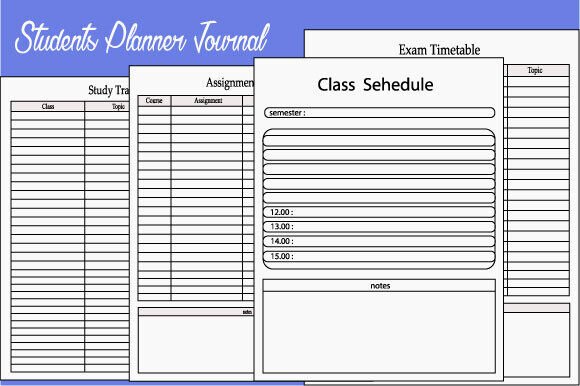
Imagine launching a high-quality, professionally formatted student planner on Amazon KDP—without designing a single page from scratch. That’s the power of the Students Planner Editable KDP Interior: a ready-to-upload, fully tested interior template built for real-world publishing success. Designed at 8.5×11 trim size and packed with 100 thoughtfully structured interior pages, it bridges creative vision with technical precision—so you spend less time troubleshooting margins and more time refining your brand, voice, and value.
What Makes This Interior Stand Out
This isn’t just another PDF download. It’s a production-ready asset engineered for KDP’s strict requirements—and verified by real uploads. Every page is set in CMYK color mode, rendered at 300 PPI, and optimized for sharp text, clean lines, and consistent spacing. The high-resolution interiors ensure crisp printing—even for fine-lined calendars, shaded checkboxes, or subtle background textures. And because it’s KDP-tested, you avoid common pitfalls like bleed errors, margin warnings, or grayscale mismatches that delay publishing.
The package includes three versatile file formats: EPS (for full vector editing in Illustrator), PDF (print-ready with embedded fonts and crop marks), and PNG (ideal for quick previews or layer-based tweaks in Photoshop or Canva). Whether you’re adjusting headers, swapping icons, or localizing content for international students, the flexibility is built in—not bolted on.
Creative Possibilities Beyond “Just a Planner”
A strong interior template is a launchpad—not a cage. With this Students Planner Editable KDP Interior, creators are already adapting it for diverse educational and professional contexts:
- Educators use it to build subject-specific planners—like a Biology Lab Logbook with experiment trackers, safety checklists, and data tables—by reordering pages and customizing headers in EPS.
- Tutors and academic coaches convert it into a Study Accountability Journal, adding weekly reflection prompts, goal-setting spreads, and habit streak trackers—all while preserving KDP-compliant layout integrity.
- Freelance designers treat it as a modular system: extracting calendar grids, note layouts, or goal dashboards to mix-and-match into hybrid products—say, a Student + Freelancer Dual Planner for college entrepreneurs.
- Small publishers run A/B tests using identical interiors but different cover designs and subtitles—measuring how “Back-to-School Focus Planner” vs. “STEM Student Success Journal” resonates with distinct buyer segments.
None of these require starting over. They rely on smart reuse—editing what matters (content, tone, structure) while trusting the underlying framework to handle print fidelity and platform compliance.
Practical Tips for Real-World Use
To get the most out of this interior, focus on consistency *and* customization:
- Preserve core specs: Never change the trim size, resolution, or color mode. If you edit in Photoshop, double-check that the document remains at 300 PPI and CMYK before exporting the final PDF.
- Localize thoughtfully: Replace English date formats or idioms with region-appropriate alternatives—but keep grid structures intact. For example, switch “Week of…” to “Semana del…” without altering column widths or font sizes.
- Brand with restraint: Add your logo to title pages or footers, but avoid overcrowding. Subtle watermarking on blank note pages works well; heavy overlays on lined sections reduce readability.
- Test before uploading: Use KDP’s online previewer to verify page numbering, header alignment, and image clarity. Zoom in on a corner of a PNG-sourced page—it should stay pixel-perfect, not blurry.
One educator client replaced only the “Monthly Overview” spread with a semester-long GPA tracker and added university-specific deadlines—keeping all other pages unchanged. Her planner launched in under two hours and ranked on page one for “college planner printable” within three weeks. That speed came from trusting the foundation—not reinventing it.
Who Benefits—and How
This interior meets distinct needs across audiences:
- Bloggers & educators turn it into lead magnets: offer a free 10-page sampler (exported from the PDF) in exchange for email signups, then upsell the full 100-page version.
- Marketing professionals repurpose spreads for client workshops—printing the “Goal Breakdown Matrix” as a handout during productivity training, then linking to the full planner in follow-up emails.
- Hobbyists and self-publishers use it to validate demand: publish a low-cost version first (“Back-to-School Mini Planner”), gather reviews, then expand into themed editions (e.g., “ADHD-Friendly Student Planner”) using the same interior base.
- Small business owners bundle it with physical supplies—a notebook, pen, and sticker pack—creating a cohesive “Student Success Kit” where the planner interior anchors the experience.
The key is recognizing that usability starts long before the buyer opens the book. Clear section headers, logical page flow, and breathing room between elements make scanning effortless—even for tired students flipping through pages at midnight. That kind of user-centered design doesn’t happen by accident. It’s baked into templates built by people who’ve uploaded, tested, and iterated on KDP dozens of times.
A Note on Integrity and Iteration
This Students Planner Editable KDP Interior was created with one priority: helping you ship something useful, fast. Not “perfect,” not “trendy,” but functional. It respects your time, your audience’s attention, and Amazon’s technical guardrails. There’s no hidden complexity—just clean files, documented specs, and room for your voice to come through.
If you're building your first KDP planner—or your tenth—the value isn’t in novelty alone. It’s in reliability, adaptability, and the quiet confidence that comes from knowing your interior won’t fail at upload. That freedom lets you focus on what truly differentiates your work: the insights you share, the problems you solve, and the students you support.
Hope you like this KDP interior. Follow on the creator’s profile for new templates—including a Doctor Visit Logbook interior designed with the same attention to clinical clarity, patient privacy, and KDP compliance.